TNPDS APK Download
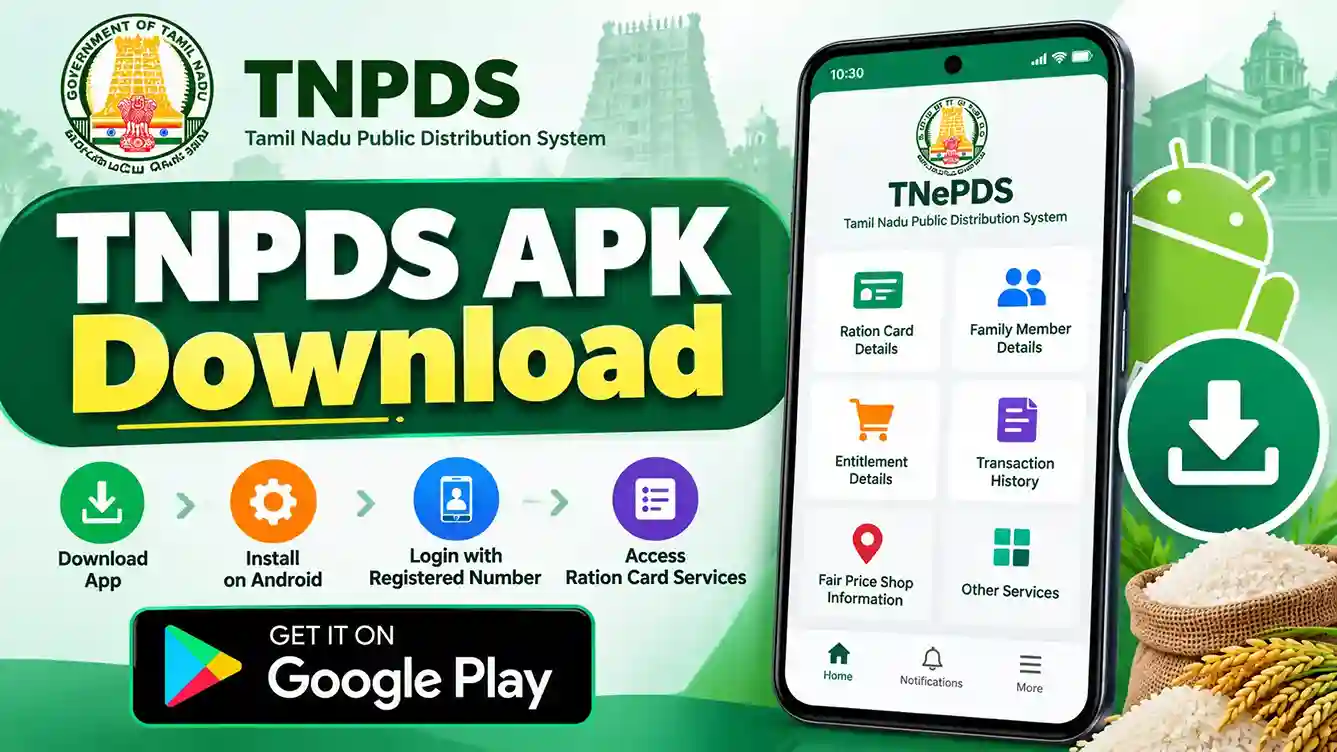
Download the TNePDS app for Android and access Tamil Nadu Smart Ration Card services on your mobile phone. Learn how to install the app, sign in with your registered mobile number, explore its features and fix common installation or login problems.
What Is TNPDS APK?
TNPDS APK refers to the Android application package associated with the Tamil Nadu Public Distribution System mobile app. The app is officially listed as TNePDS on Google Play and is intended for ration cardholders in Tamil Nadu. It helps users access available public distribution services through their Android smartphones.
Important: The verified download source is the app’s Google Play listing. Google Play installation does not require downloading an APK file manually from a third-party website.
TNPDS App Information
Before installing the app, check its verified identity and publisher. The following details are based on the official Google Play listing and TNePDS privacy policy.
App Name
TNePDS
Publisher
Oasys Cybernetics Pvt. Ltd.
Category
Productivity
Platform
Android
Google Play Downloads
5 Million+ installs
Listed App Update
17 August 2026
Official Android package ID: com.omneAgate.PublicApp.activity . App details and update dates may change over time.
How to Download TNPDS APK on Android
The recommended way to install TNePDS is through Google Play. Follow these steps to find the correct application.
-
Step 1: Open Google Play Store
Unlock your Android smartphone and launch the Google Play Store application. Make sure your device is connected to the internet.
-
Step 2: Search for TNePDS
Enter TNePDS into the Google Play search bar. You may also use the verified download button provided above.
-
Step 3: Verify the Publisher
Select the application named TNePDS and confirm that its publisher is Oasys Cybernetics Pvt. Ltd. Avoid similarly named unofficial applications.
-
Step 4: Tap Install
Select the Install button. Google Play will download and install the available compatible version on your Android device.
-
Step 5: Wait for Installation
Keep your internet connection active until the installation finishes. Download time depends on your connection and device performance.
-
Step 6: Open the App
After installation, select Open in Google Play or launch TNePDS from your Android app list.
How to Login to the TNePDS App
TNePDS supports registered-mobile-number authentication for relevant citizen services. The exact login screens may differ depending on the app version.
-
Step 1: Launch the TNePDS App
Open the installed application on your Android phone.
-
Step 2: Select the Required Service
Choose the available login, beneficiary or ration-card service shown inside the app.
-
Step 3: Enter Your Mobile Number
If requested, enter the mobile number registered with your Tamil Nadu smart ration card.
-
Step 4: Complete Verification
Follow the authentication instructions. If an OTP is provided, enter the code only inside the official app.
-
Step 5: Access Available Services
After successful authentication, explore the ration card information and services currently enabled for your account.
Never share a login OTP, password or security token. If your registered mobile number is inactive, contact official TNePDS support.
Key Features of the TNePDS App
Depending on which services are currently enabled, the TNePDS application may provide the following features for eligible users.
Smart Ration Card Information
View available family-card details and information linked to your ration card.
Family Member Details
Check family member information maintained in the authorized ration card record.
Commodity Entitlement Details
Review available information about ration entitlements, allocations and applicable commodity quantities.
Transaction History
View supported records of ration purchases and transactions associated with your card.
Fair Price Shop Information
Access available Fair Price Shop information. Location-based features may require permission.
Requests and Grievances
Submit eligible service requests or grievances when those functions are available in the app.
Service Notifications
Receive supported service, security or transaction notifications when enabled and permitted.
Application and Request Status
Check available status information for supported applications, updates or service requests.
TNPDS APK vs Google Play vs Website
These options serve different purposes. Understanding the difference helps you choose a reliable way to access TNPDS services.
| Option | Purpose | Recommendation |
|---|---|---|
| Google Play | Install and update the verified Android app. | Preferred method |
| APK File | Manually install an Android application package. | Avoid unverified third-party files. |
| TNPDS Website | Access available government services through a browser. | Use the official tnpds.gov.in portal. |
Is It Safe to Download a TNPDS APK File Manually?
Android APK files can be installed outside Google Play, but unofficial copies may be outdated, modified or unsafe. A third-party website may also use a familiar app name or logo without being the authorized publisher.
Security warning: Do not disable Android security protections simply to install an unknown TNPDS APK file. Use the verified Google Play listing whenever possible.
Check the Publisher
Confirm that the app is listed as TNePDS by Oasys Cybernetics Pvt. Ltd.
Verify the Download Website
Prefer Google Play or a verified official government source, not unknown APK mirrors.
Avoid Modified APKs
Do not install apps promoted as modded, unlocked or ad-free versions of TNePDS.
Protect Personal Information
Never provide OTPs, passwords or ration-card information to unrelated APK download websites.
Common TNPDS App Problems and Solutions
App Not Downloading
Check the internet connection, available phone storage and Google Play updates. Retry the installation.
Device Not Compatible
Check compatibility information in Google Play. If your device is unsupported, use the official TNPDS website.
OTP Not Received
Confirm that your registered mobile number is active. Check network coverage and retry when permitted.
Access Denied Error
Update the app and retry. If appropriate, clear its cache in Android settings. Contact official support if access remains blocked.
No Connection Error
Try another reliable internet connection. Temporary server issues may also interrupt the app’s services.
App Not Appearing in Search
Use the verified Google Play link in this guide. Availability may depend on device compatibility or region.
If clearing app data is necessary, remember that it can remove local settings and require you to authenticate again.
TNePDS App Permissions and Privacy
The app may request permissions needed for the services you use. Available permissions can vary by app version and feature.
Internet Access
Allows communication with authorized TNePDS online services.
Notifications
May deliver available service and security updates.
Location
May support location-based services such as nearby Fair Price Shop information.
Camera and Files
May be requested when a supported service requires photographs or document uploads.
Review Android permission requests before accepting them. You can manage applicable permissions in your device settings. Read the official app privacy policy for details.
TNPDS APK Download FAQs
Is the TNPDS APK available
on Google Play?
Yes. The TNePDS Android application is available through Google Play. Search for TNePDS and verify its publisher, Oasys Cybernetics Pvt. Ltd.
Is the TNePDS app
free to download?
The verified Google Play listing provides an Install option without a displayed purchase price. Normal internet or mobile data charges may still apply.
Can I install TNPDS APK
without Google Play?
Android can support manual APK installation, but an authorized direct APK distribution link has not been verified for this guide. The safer recommendation is to use Google Play.
Is TNePDS available for iPhone?
An Android APK cannot be installed on an iPhone. iPhone users should check the Apple App Store for a currently available authorized iOS application or use the official TNPDS website.
How do I update the TNePDS app?
Open Google Play, find TNePDS and select Update if a newer version is available for your device.
Can I use the TNePDS app
without a registered mobile number?
Services requiring beneficiary authentication may need a registered mobile number and OTP or another approved verification method. Contact official support if your registered number is unavailable.
Why does the TNePDS app
show Access Denied?
The error can arise from authentication, app-session or service-related problems. Check for updates, retry and contact official support if the issue continues.
Is TNePDS the same
as the TNPDS website?
Both relate to Tamil Nadu Public Distribution System services, but one is an Android mobile application and the other is a government website. Available features may differ.
Official TNePDS App Support
If you experience app errors or need assistance with ration-card services, use the verified support information listed below.
Conclusion
TNPDS APK Download is a common search term for the TNePDS Android application used by Tamil Nadu ration cardholders. The safest recommended installation method is through the verified Google Play listing published by Oasys Cybernetics Pvt. Ltd. After installation, eligible users can access available ration-card services, review entitlement and transaction information, and use other supported facilities. Keep the app updated and avoid unverified APK download websites.